
How manufacturers work with Conseptis
We support manufacturers across the whole MES lifecycle: implementation of new systems, upgrades of existing Camstar and Opcenter platforms, and ongoing maintenance and support.
MES maintenance and upgrade for a US medical device manufacturer
Client: US medical device manufacturer · Engagement: application maintenance and upgrade
The challenge
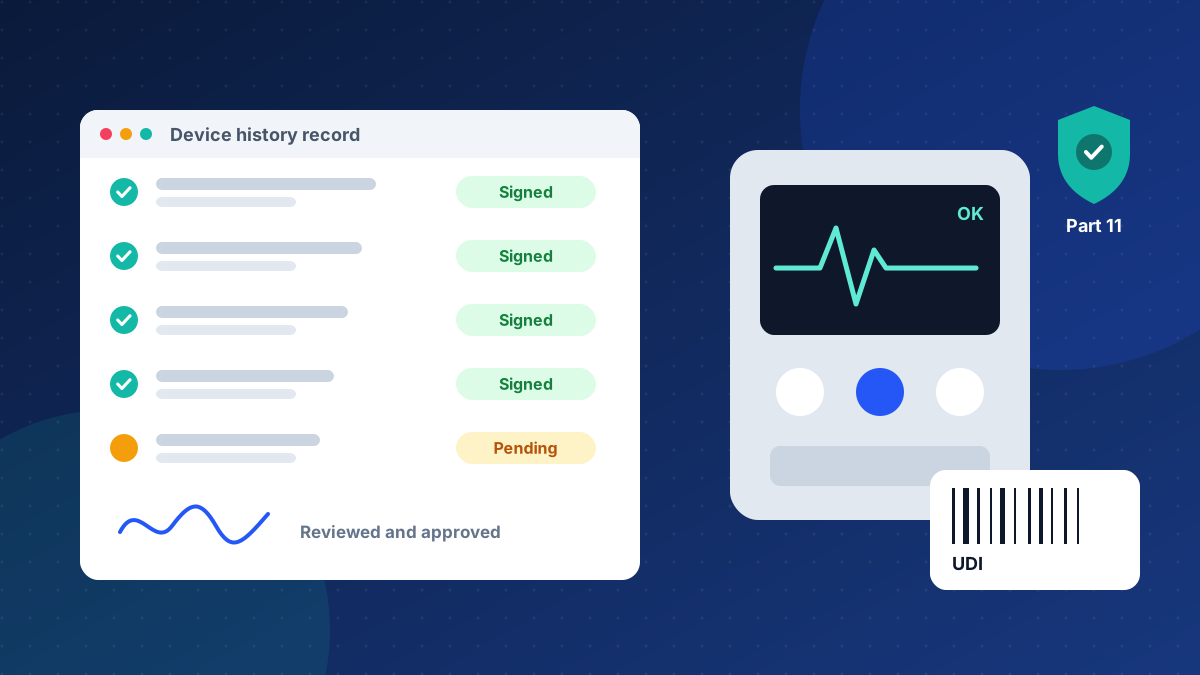
The manufacturer relies on its Siemens Opcenter Medical Device and Diagnostics (Camstar) MES to run FDA-regulated production and to create electronic device history records. The system had to stay stable and compliant every day, and be moved to a newer release without disrupting production.
Our approach
- Provide ongoing application maintenance and support for the production MES: incident resolution, fixes and enhancements
- Plan and carry out the upgrade of the MES platform, including customizations, integrations and data
- Test and validate changes in line with the requirements of a regulated medical device environment
- Support the shop floor and IT teams through cutover and after go-live
What the solution delivers
- A stable, supported MES for day-to-day production
- An upgraded platform on a newer release
- Continuity of eDHR and compliance processes through the upgrade
- A single partner for both support and upgrade work
Opcenter Medical Device servicesGuide: Camstar to Opcenter upgradeGuide: eDHR for medical device manufacturers
Paperless production with Siemens Opcenter Execution
Discrete and electronics manufacturing
The challenge
Production runs on paper travelers and spreadsheets. Supervisors cannot see real-time WIP, quality issues are found late, and answering a traceability question means searching through files.

Our approach
- Map current processes and define standard routes, operations and data collection points
- Configure Siemens Opcenter Execution for work order dispatching, digital work instructions and data collection
- Integrate with ERP for work orders and material consumption
- Train operators and supervisors, and support the shop floor through go-live
What the solution delivers
- Real-time visibility of WIP and order status
- Enforced process steps and data collection at the source
- Full genealogy for every serial number or lot
- A foundation for OEE and quality analytics
Connecting planning, execution and quality on the Opcenter portfolio
Multi-site manufacturing
The challenge
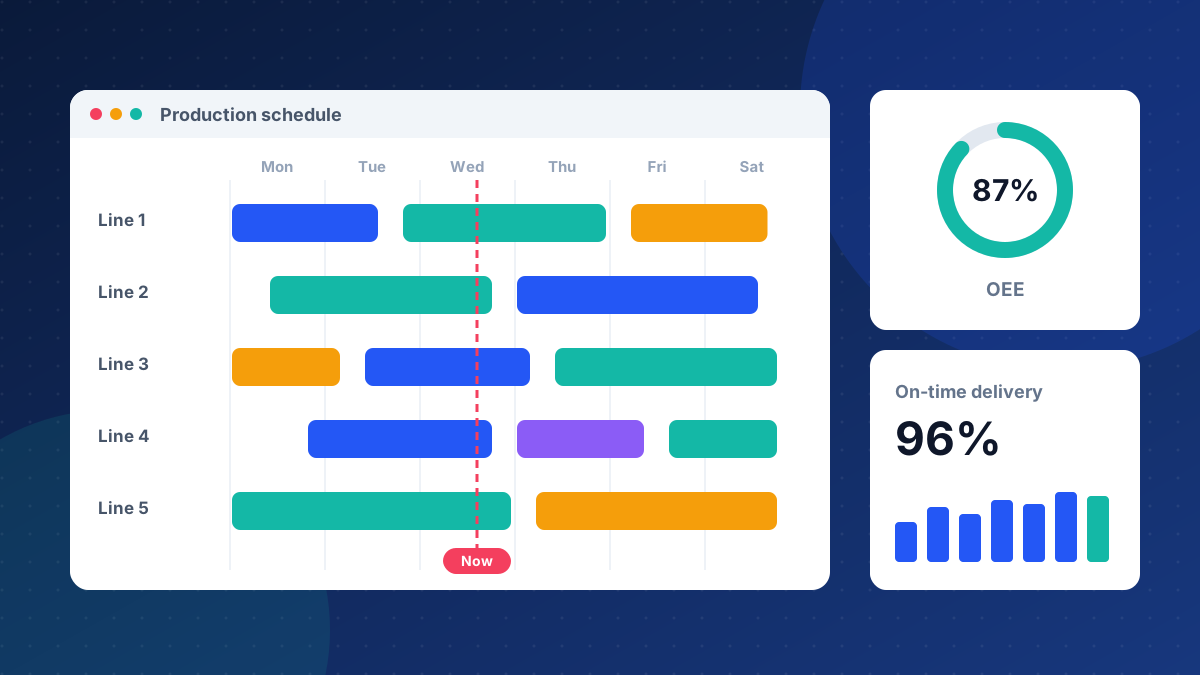
Scheduling, execution and quality run in separate tools. Plans are out of date as soon as they are published, and quality data is not linked to production.
Our approach
- Assess the current landscape and define a target Siemens Opcenter (MOM) architecture
- Use Opcenter APS (formerly Preactor) for finite-capacity scheduling
- Feed schedules to Opcenter Execution and send actual progress back to planning
- Link quality inspections and nonconformances to production records
What the solution delivers
- Achievable schedules based on real capacity
- A closed loop between plan and actual production
- Quality data linked to each lot or serial number
- A standard template that can be rolled out to more sites
Synchronizing Teamcenter PLM, ERP and MES
Engineering-driven manufacturers
The challenge
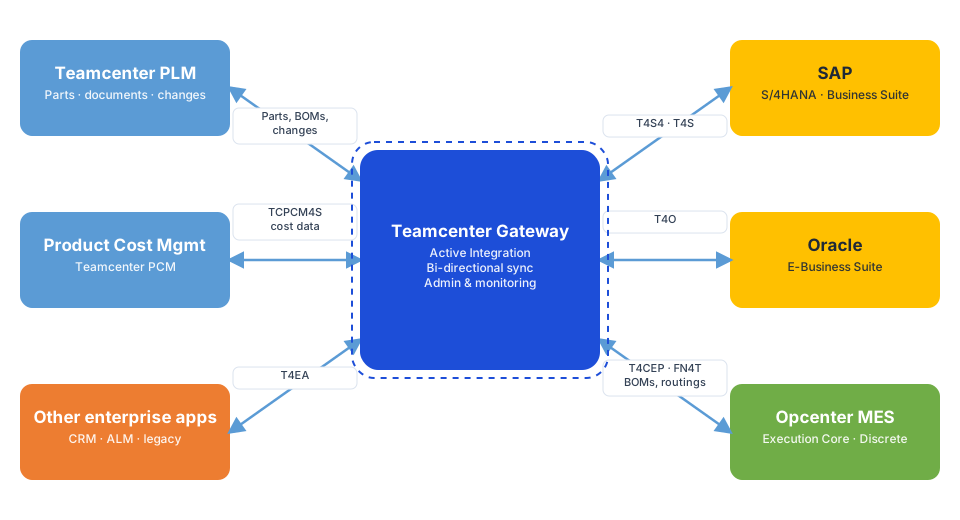
BOMs, routings and engineering changes are re-keyed from PLM into ERP and MES. Errors and delays mean the shop floor sometimes builds to an outdated revision.
Our approach
- Define which system owns each type of data: parts, BOMs, bills of process and changes
- Use Siemens Teamcenter Gateway (Active Integration) to transfer data from Teamcenter to ERP
- Build MES interfaces for released BOMs, routings and work instructions using MOM Connect, eQube or SnapLogic, depending on the landscape
- Add monitoring and error handling so failed transfers are visible and recoverable
What the solution delivers
- No manual re-keying of engineering data
- The shop floor always builds to the released revision
- Faster engineering change implementation
- A connected digital thread from design to production
MES, ERP & PLM integration servicesGuide: Camstar to Opcenter upgrade
Connecting Opcenter MES with ERP through MOM Connect
Manufacturers running Siemens Opcenter with SAP or Oracle ERP
The challenge
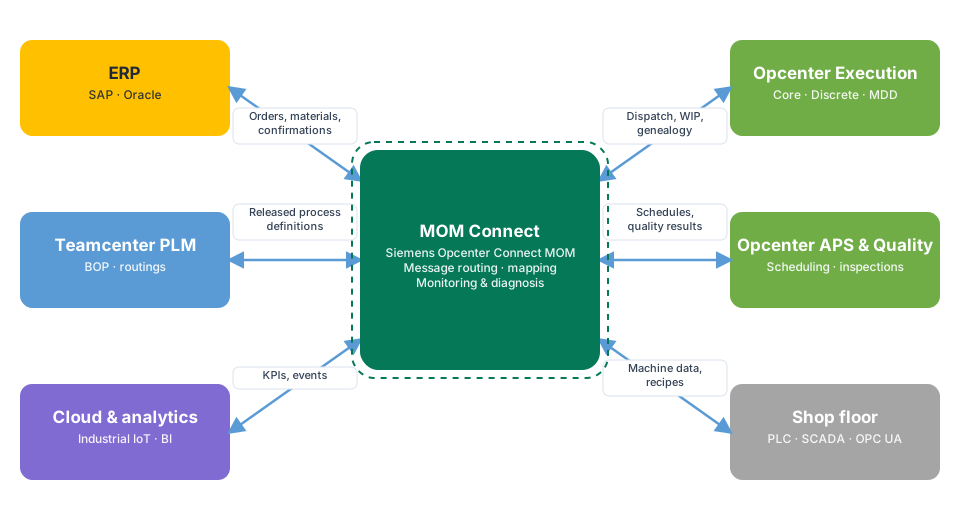
Work orders are typed into the MES by hand, and production confirmations, scrap and material consumption reach ERP late or with errors. Inventory and order status in ERP never quite match the shop floor.
Our approach
- Map the business processes between ERP and MES: order release, material staging, confirmations, scrap and goods movements
- Use MOM Connect (Opcenter Connect MOM) as the integration layer between Opcenter and ERP
- Configure message mapping, routing and validation for each interface
- Set up monitoring and diagnosis so failed messages are visible and can be reprocessed
What the solution delivers
- Work orders flow from ERP to MES automatically
- Production confirmations and material consumption reach ERP in near real time
- ERP inventory and order status match the shop floor
- One monitored integration layer instead of point-to-point interfaces
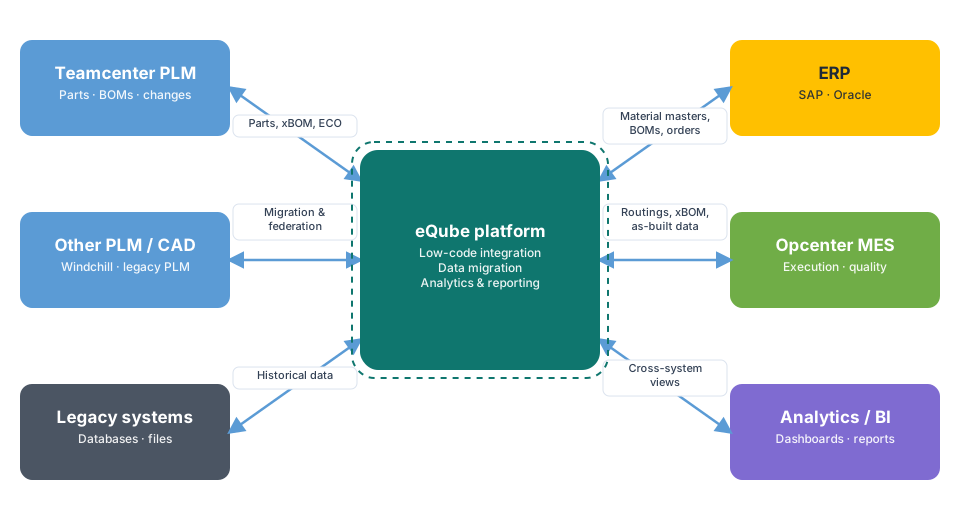
Teamcenter PLM to SAP S/4HANA integration with eQube
Engineering-driven manufacturers moving to SAP S/4HANA
The challenge
Released parts, BOMs and engineering changes in Teamcenter must reach SAP S/4HANA accurately. Manual transfer or ageing custom interfaces cause errors and delays, especially during an S/4HANA migration.
Our approach
- Define the data model and ownership for material masters, BOMs, documents and change orders
- Build PLM-to-S/4HANA integration services on the eQube low-code platform
- Migrate and reconcile existing engineering data where needed
- Add validation, error handling and reporting for every transfer
What the solution delivers
- Released engineering data reaches S/4HANA without re-keying
- Faster and more reliable engineering change implementation
- Reusable integration services that are easier to maintain
- Visibility of what was transferred, when and with which result
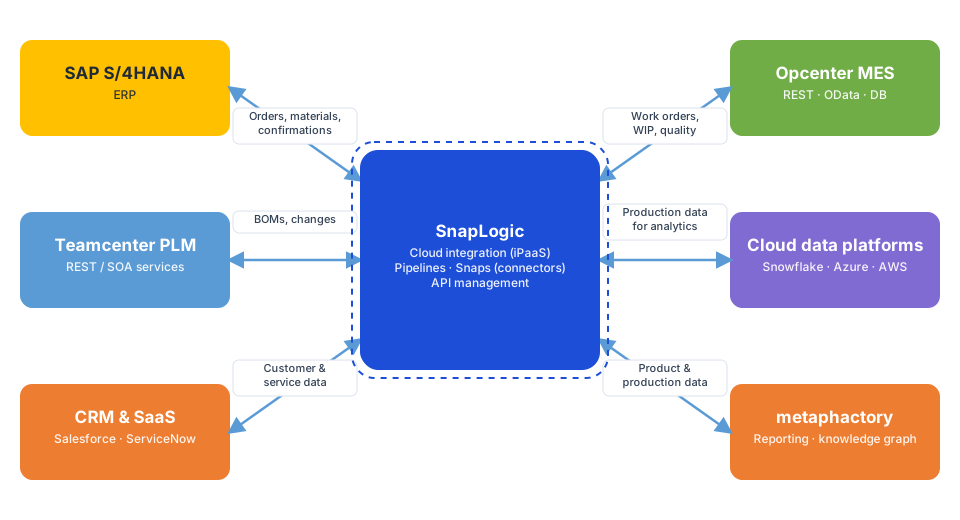
PLM to SAP S/4HANA and metaphactory reporting with SnapLogic
Manufacturers combining enterprise integration with knowledge-graph reporting
The challenge
Engineering data must flow from PLM to SAP S/4HANA, and the same product and production data must also feed a reporting server. Separate, hand-built interfaces for each target are costly to maintain.
Our approach
- Design SnapLogic pipelines that transfer released PLM data to SAP S/4HANA
- Publish the same product and production data to the metaphactory reporting server for knowledge-graph based reporting
- Reuse prebuilt connectors (Snaps) for SAP, databases and APIs
- Monitor all pipelines centrally, with alerts for failed runs
What the solution delivers
- One integration platform for both ERP and reporting
- Consistent data across PLM, S/4HANA and reporting
- Faster delivery of new interfaces with prebuilt connectors
- Central monitoring of every data flow
Facing a similar challenge?
Tell us about your plant and systems, and we will suggest a practical next step. More details on our projects are available on request.